
Product
LumenX Admin
Institute operations console
For: Institute admin, principal, accountant, front office
Purpose
What Admin is for.
Admin is the institute console — the place the office writes people, classes, fees, and operations. Connect, Transport, Admissions, and Careers read what Admin allows. It is not the parent, teacher, or student app.
Replaces spreadsheets and office whatsapp groups. Does not replace the parent, teacher, or student app.
Capabilities
What it actually does.
Only surfaces that exist in the product — not a catalogue of hoped-for modules.
People
- Students
- Teachers
- Parents
- Accounts
- Guardian linking
Academics
- Classes & years
- Subjects
- Timetable
- Exams & marks
- Homework & diary
- Promotion & graduation
Attendance
- Student attendance
- Staff attendance
- Monitor
- Reports
- Analytics
Fees
- Class fees
- Transport fees
- Extras
- Publish
- Per-student dues
Transport
- Vehicles & drivers
- Stops & routes
- Student assignment
- Trips
- Emergencies
Documents & certificates
- Document requests
- Packages & templates
- Generate & issue
- Certificate library
- Issued copies
Admissions & careers review
- Pipeline visibility
- Convert to student
- Convert to teacher
Roles & access
- Custom office roles
- Per-module access
Reports & insights
- Home
- Analytics
- Reports
- Teacher performance
Preview
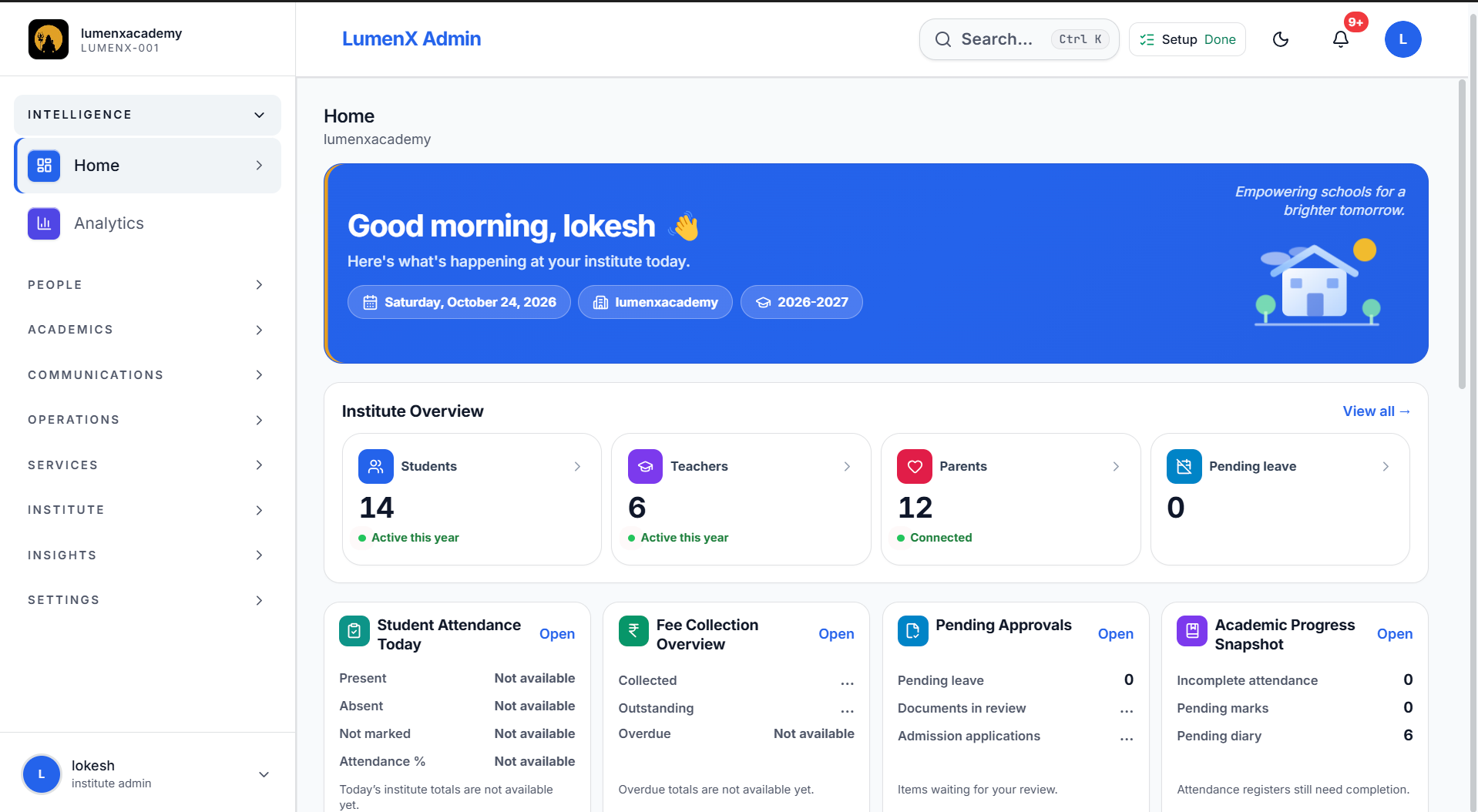
Real product screens.
Captured from the live apps — not illustrative mocks.
Workflows
How the work actually moves.
Set up once, run the day from one console, then hand each role their own door.
1
Set up the institute
Build the shared record the rest of LumenX will read.
- Add students, teachers, parents, and accounts
- Create classes, years, subjects, and the timetable
- Publish fee structures
- Assign vehicles, stops, and routes when Transport is on
2
Run the campus day
Keep daily operations in one office console.
- Mark student and staff attendance
- Send announcements and handle complaints
- Track fees and dues
- Generate documents and issue certificates
3
Hand off to the right door
Other apps show only what each role needs — they do not keep a second roster.
- Families and teachers open Connect
- Drivers run trips in Transport
- Accepted admissions convert to students here
- Approved hires convert to teachers here
Who uses it
The same records. The right door.
Principal & office
Run the institute day without chasing notebooks.
- People directory
- Classes and attendance
- Fees and documents
- Office roles and access
Ecosystem
How it connects to the rest of LumenX.
Admin at the centre. Every other app reads and writes through the same institute record.
Admin sits at the centre. Connect, Transport, Admissions, and Careers exchange the same institute record both ways — so teams work together in one place, without duplicate data or conflicting updates.
Admin
Shared institute record
Look
More of the surface.
One screen at a time — use the arrows to move through Admin surfaces.
Get started
Open what exists. Do not wait on a fake store listing.
LumenX Admin
Downloads liveInstitute office console — web app, Android APK, and Windows installer when published.
- Android
- Live
- Windows
- Live
Give the office one console.
Start a 60-day trial after verification. Admin is provisioned with the institute — this site does not collect payment.