
Connect portal
LumenX Admissions
Applications that become student records
For: Applicants, parents, and the institute office
Purpose
What Admissions is for.
Admissions helps applicants discover programs, apply, and upload documents. The office reviews intake here, then creates the student record in Admin. It is not a second student database.
Replaces inbox applications and retyped admission registers. Does not replace the student directory in admin, or the parent app after joining.
Capabilities
What it actually does.
Only surfaces that exist in the product — not a catalogue of hoped-for modules.
Institute & program discovery
Applications
Documents
Waitlist
Interviews
Decisions
Conversion
Preview
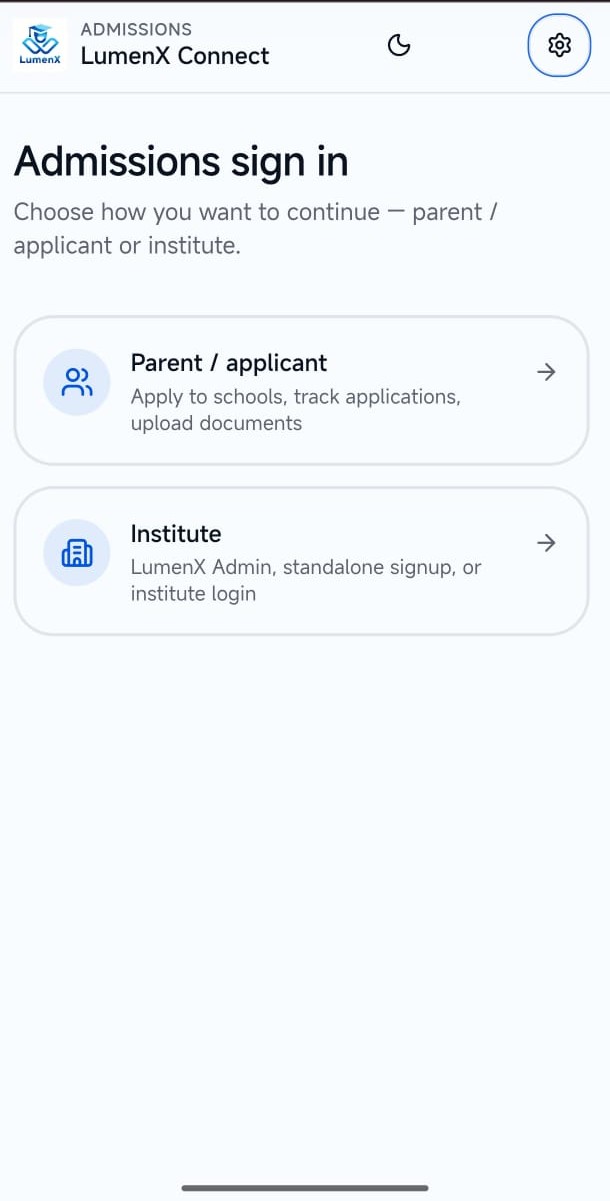
Real product screens.
Captured from the live apps — not illustrative mocks.
Workflows
How the work actually moves.
These steps match the product — they are not invented hops.
1
Apply
The applicant finds the institute and program, then submits through the Admissions portal.
2
Review
The office reads documents and moves the file through review, verification, and decision.
3
Join
Admin writes the student. Connect credentials follow — Admissions does not become the parent app.
Who uses it
The same records. The right door.
Applicant / parent
Submit an application that can become a student record.
- Institutes, programs, apply, and documents
- Status without calling the front office
- No separate product login island after conversion
Ecosystem
How it connects to the rest of LumenX.
Separate products. Shared records. Not another role’s navigation.
LumenX Connect
Admissions is served as a Connect portal. After conversion, the family uses Connect as a parent.
Explore Connect
Highlights
What to remember.
A product, not a menu leftover
Pipeline, not a second SIS
Honest interviews
Look
More of the surface.
One screen at a time — use the arrows to browse the surface.
Get started
Open what exists. Do not wait on a fake store listing.
LumenX Admissions
Downloads liveAdmissions portal — web and Android APK when published.
- Android
- Live
Related
The rest of the family.
Take applications into the same institute record.
Admissions is enabled per institute and opens as a Connect portal. Start a trial, then turn the module on.