
Product
LumenX Transport
Fleet, routes, and the day’s trips
For: Driver, transport coordinator; parents track via Connect
Purpose
What Transport is for.
Transport is a dedicated driver app for executing the trip. Admin assigns students to routes. Drivers run boarding and trip status. Parents see that status in Connect when the module is on. It is not a live telematics product for families, and it is not the fee office.
Replaces driver whatsapp threads and paper manifests. Does not replace fee collection or the parent portal.
Capabilities
What it actually does.
Only surfaces that exist in the product — not a catalogue of hoped-for modules.
Driver
Routes
Stops
Trips
Boarding
GPS
Emergency / SOS
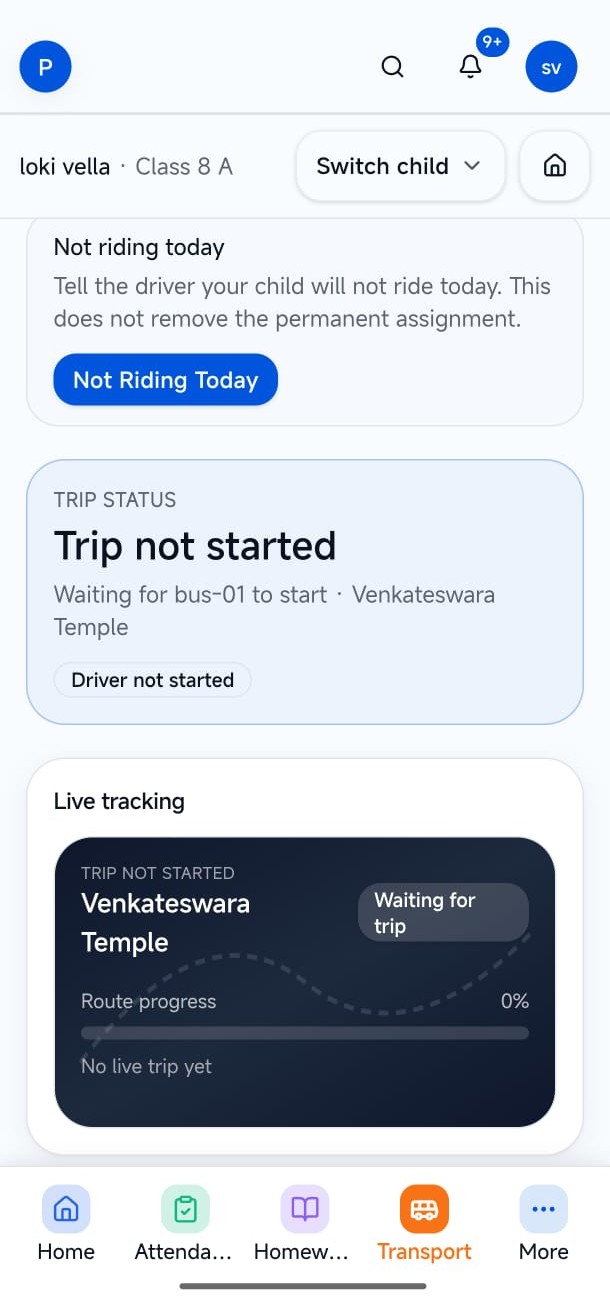
Parent visibility
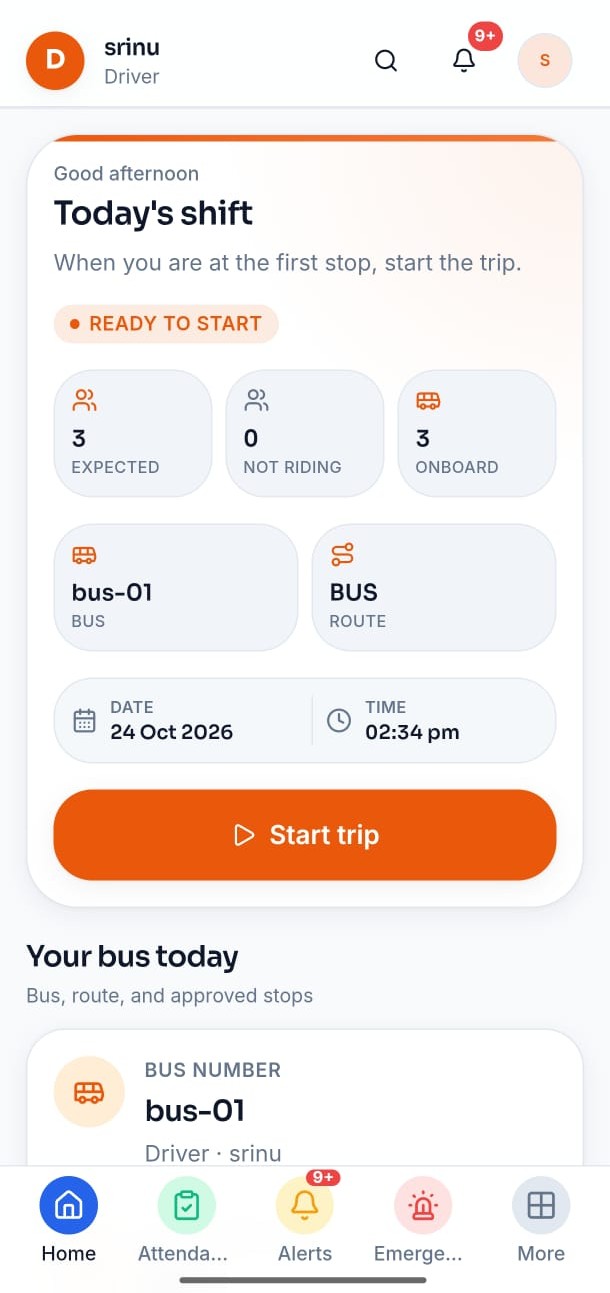
Preview
Real product screens.
Captured from the live apps — not illustrative mocks.
Workflows
How the work actually moves.
These steps match the product — they are not invented hops.
1
Assign
Admin assigns students to routes, stops, and vehicles.
2
Run
The driver starts the trip, marks boarding, and can raise an emergency note.
3
Follow
Parents see trip status in Connect when Transport is on — not a leftover Admin menu.
Who uses it
The same records. The right door.
Driver
Execute today’s trip from a dedicated app.
- Today’s manifest and stops
- Boarding counts the office can see
- Large controls built for the road
Ecosystem
How it connects to the rest of LumenX.
Separate products. Shared records. Not another role’s navigation.
LumenX Admin
Admin owns assignment: students, routes, vehicles, drivers, and emergency review.
Explore AdminLumenX Connect
Parents and students follow the trip in Connect — Transport does not become their app.
Explore ConnectHighlights
What to remember.
A real driver app
Honest location
Emergency that reaches the office
Look
More of the surface.
One screen at a time — use the arrows to browse the surface.
Get started
Open what exists. Do not wait on a fake store listing.
LumenX Transport
Downloads liveDriver and fleet app — Android APK download only on this site.
- Android
- Live
Related
The rest of the family.
Admissions
Applications that become student records
- Institute & program discovery
- Applications
Give drivers their own app.
Transport is enabled per institute. Start a trial, then turn the module on — no invented store listing here.